PUNK//BODY STUDIO

Body editor // Cyberpunk 2077

PUNK//BODY STUDIO

A body editor for Cyberpunk 2077: shape V's and NPC bodies with sliders, refit your clothes to them, and install it as a mod.

Download

Windows 10/11 64-bit · v0.2.0 · Free

PREVIEW BUILDBody Studio is in testing. Expect rough edges, back up your saves, and tell us what breaks with Help > Send Feedback in the app.

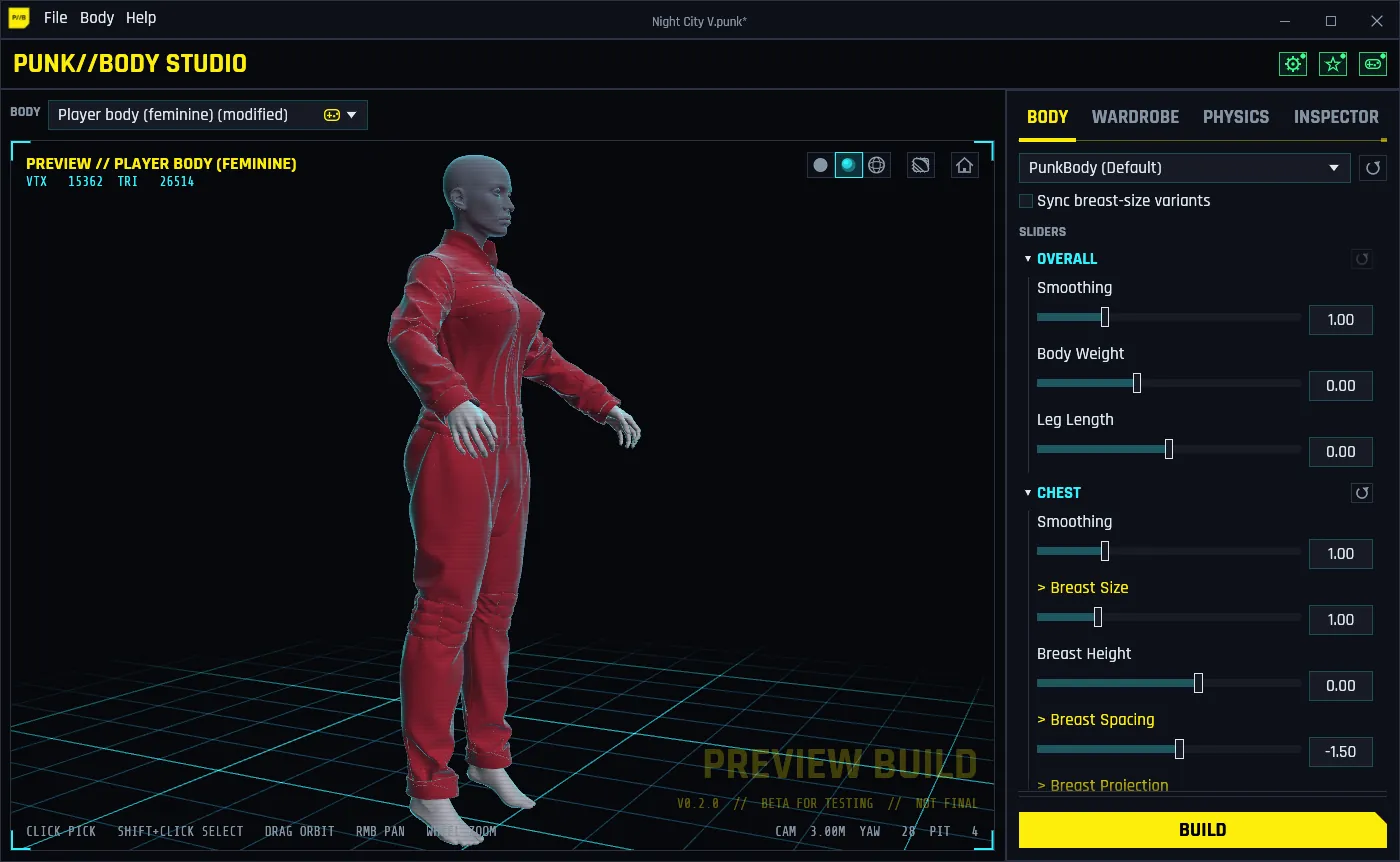
The Body Studio window: female V in a racing suit refit to her shaped body in the 3D preview, with the Body tab's sliders on the right.

Your game files are never changed. Everything Body Studio makes goes into one separate mod archive, which you can remove at any time.

Features

What it does

Body Studio reads the bodies and clothes straight from your game, lets you reshape them in a live 3D preview, and builds a mod the game loads like any other.

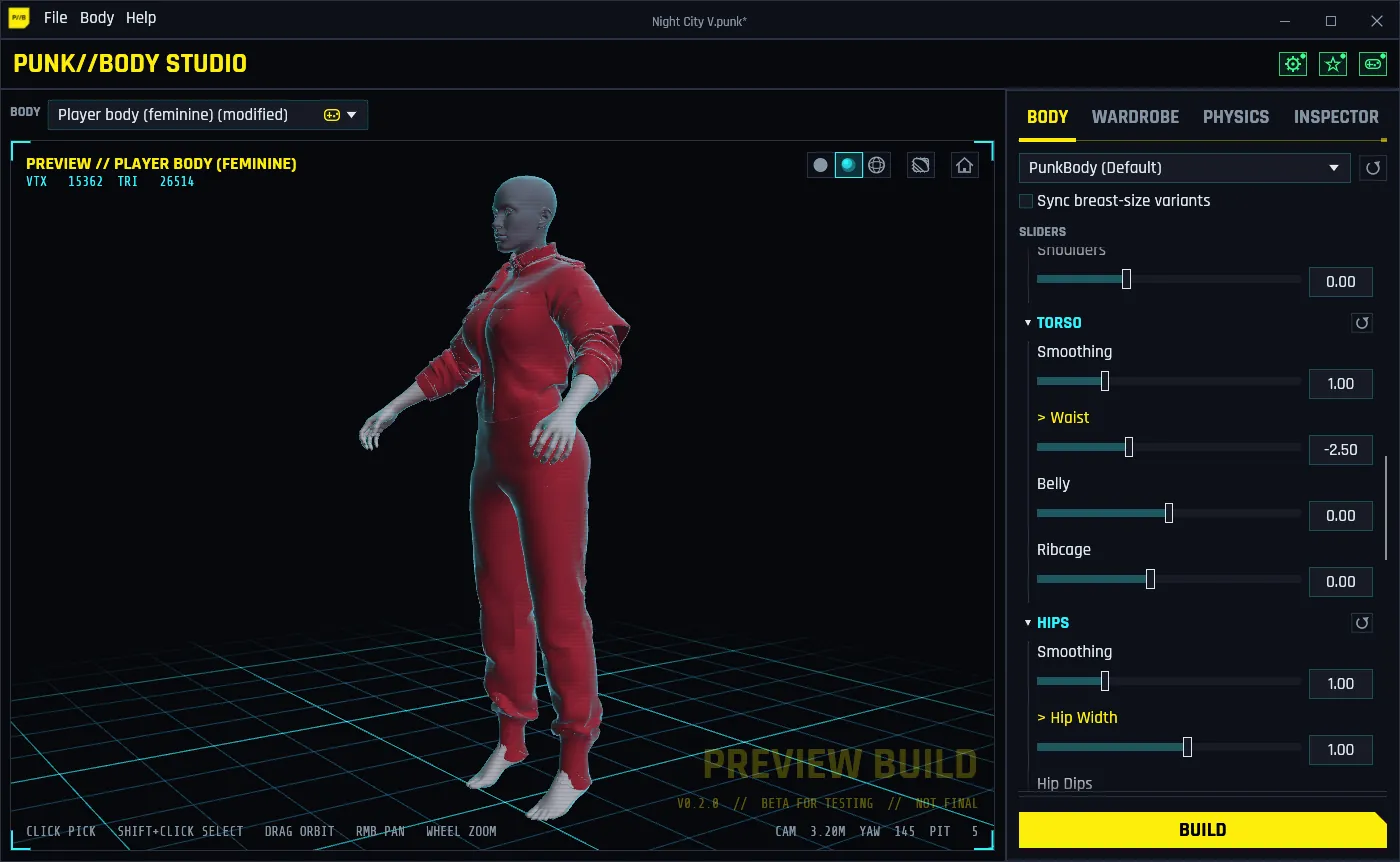
The Body tab: Torso and Hips slider groups, with the changed sliders marked in yellow, next to female V in a refit uniform.

01

Shape bodies with sliders

More than 30 sliders in eight groups (Overall, Chest, Arms, Torso, Hips, Glutes, Legs, Pregnancy) reshape the body live in the preview, from subtle to exaggerated.

  • Female V, with all three of the character creator's breast sizes, and male V.
  • 15 NPC body types: change one and every NPC who wears it changes.
  • Seams stay closed where the body meets the head and arms, and V's first-person arms and arm cyberware are reshaped to match.
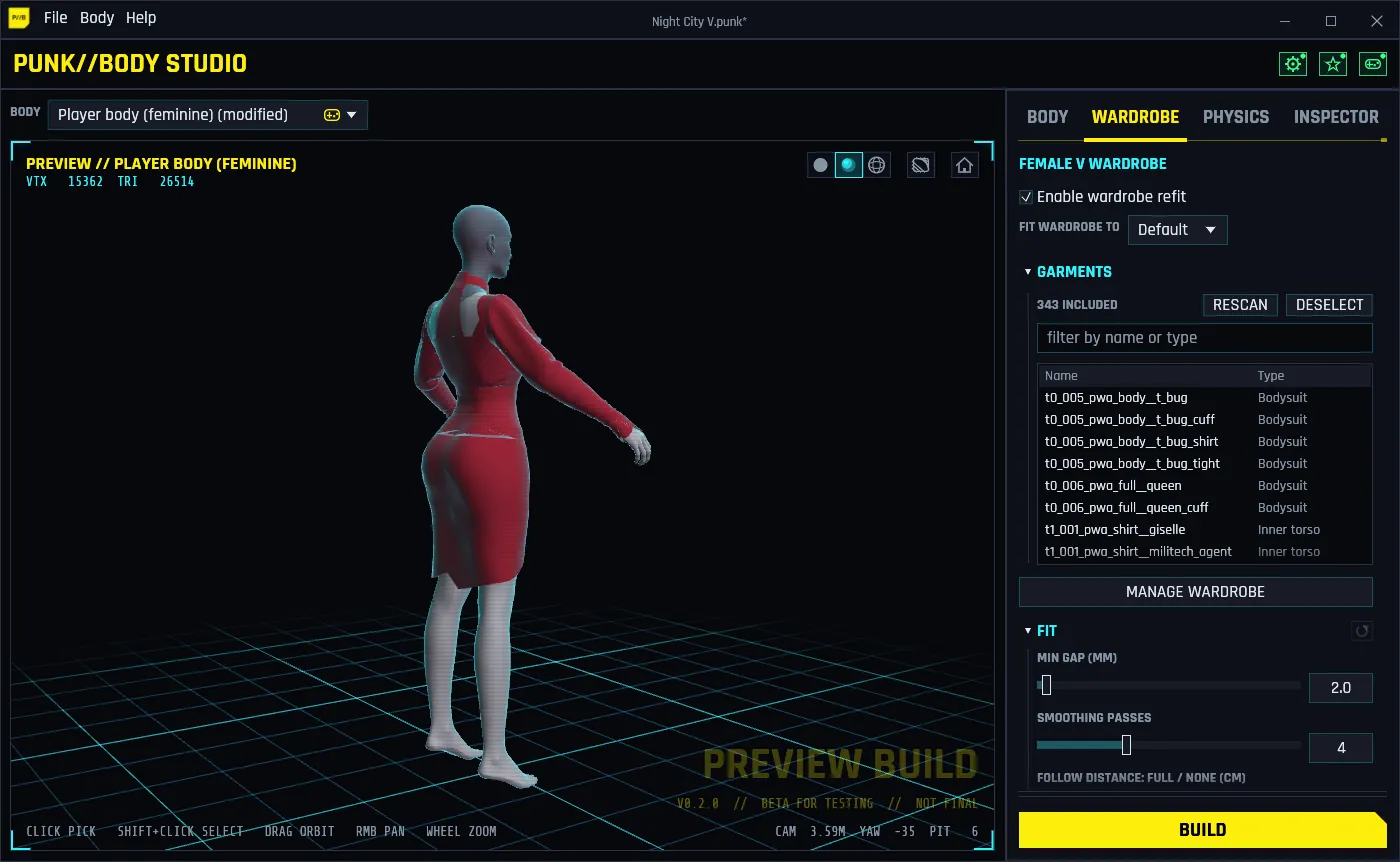
The Wardrobe tab: the female V wardrobe with Enable wardrobe refit ticked, the garment list and the fit settings, and a dress previewed on the shaped body.

02

Clothes that fit

V's clothes are refit to the body you shaped, so they don't clip into it, and packed into the same mod: the game's, Phantom Liberty's, and those of the clothing mods you have installed.

  • Click a garment to preview it on the body before you build.
  • Female V and male V each have their own wardrobe and fit settings.
  • For female V, pick which breast size the clothes fit.

NPCs keep the game's clothes.

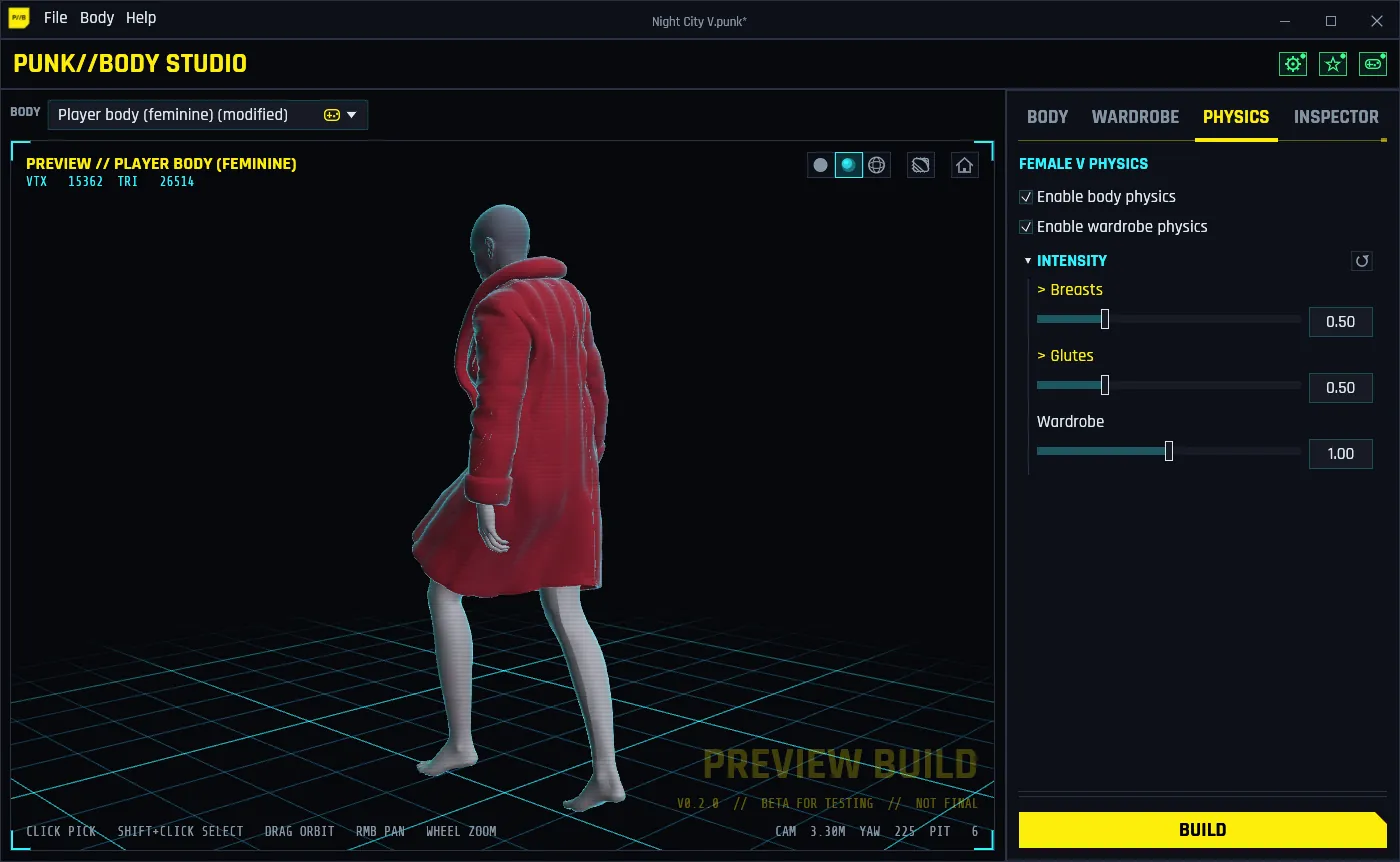
The Physics tab: female V walking in a long coat whose hem swings behind her.

03

Breast, glute and cloth physics

Turn on physics and the mod gives V breast and glute jiggle fitted to the shaped body, in first person and cutscenes too, with an intensity slider for each.

Skirts, dresses, coats and long jackets get the game's own kind of cloth physics, so their hems swing as V moves.

The Physics tab previews it all on the game's own walk. Physics in the mod is V's; NPCs keep the game's.

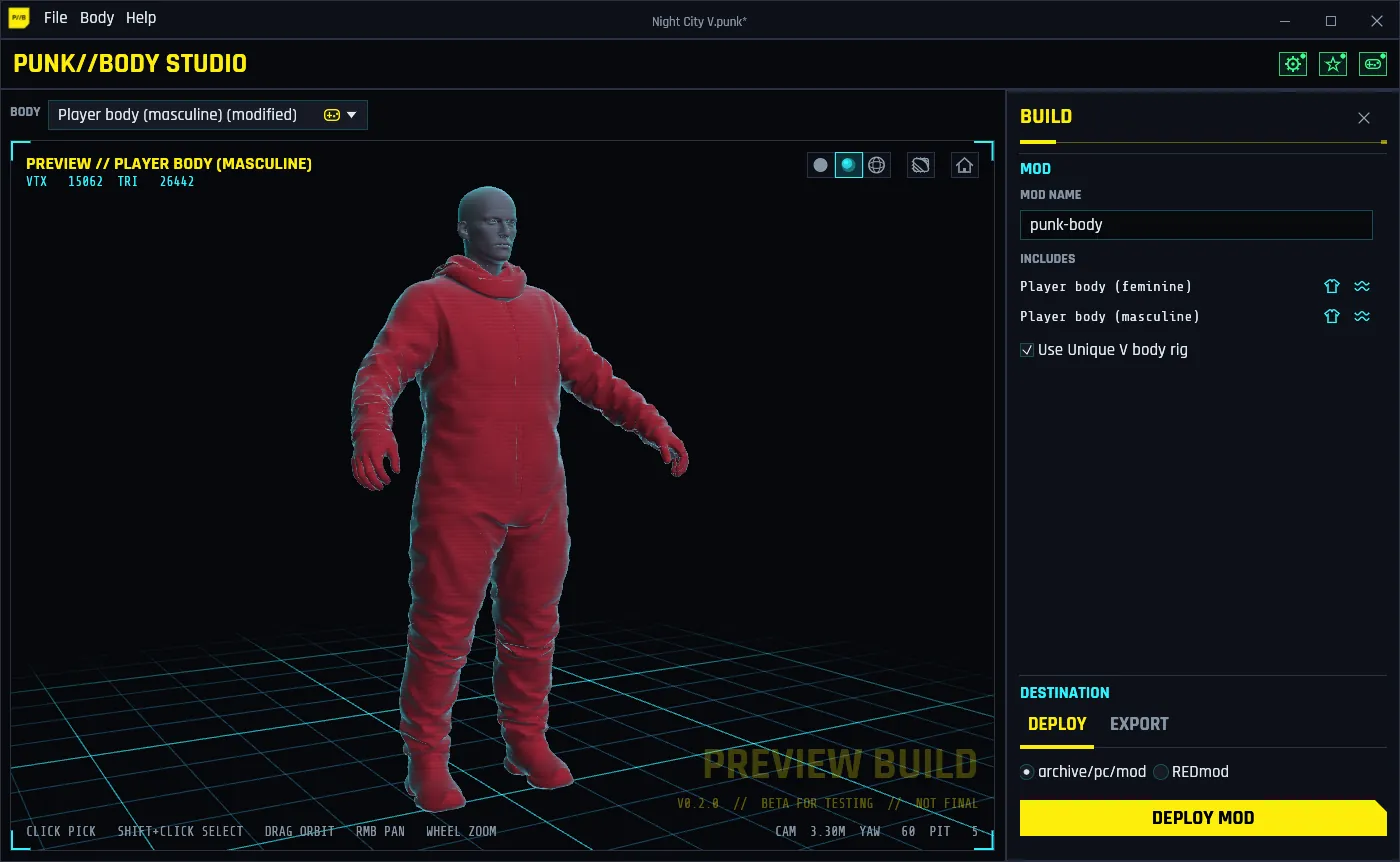
The Build pane: the mod name, the bodies it includes with their clothes and physics icons, and the DEPLOY MOD button, next to male V in a refit hazmat suit.

04

One-click Deploy

Press BUILD, then DEPLOY MOD: Body Studio builds the mod and installs it in archive\pc\mod, or as a REDmod.

First it checks your other mods. Body mods that would replace the same body are listed: the ones Vortex manages for you to disable in Vortex, hand-installed ones to move aside with one click and restore later.

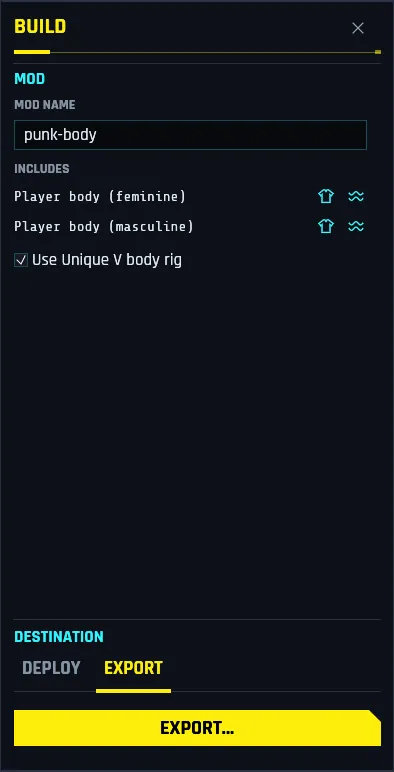
The Build pane on its Export tab, with the EXPORT button.

05

Export to share

Export builds the same mod archive and saves it wherever you choose, to share it or install it by hand.

  • File > Export > Body saves one body as a game mesh, or as glTF (.glb) for Blender.
  • File > Export > Sliders saves your slider set for others to import.
  • Projects (.punk) keep every body, slider and setting to pick up later.
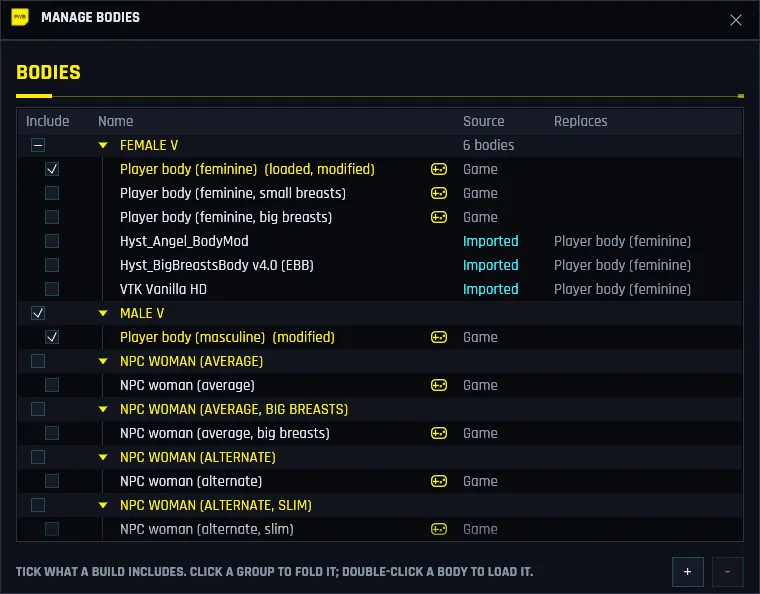
The Manage Bodies window: bodies grouped as Female V, Male V and NPC bodies, with the imported Hyst Angel, Hyst EBB and VTK Vanilla HD bodies listed under Female V.

06

Works with body mods

Already use a body mod? File > Import Body reads its archive and imports the bodies it replaces. Sliders, the wardrobe refit and physics then work on it like on a game body.

Tested with VTK Vanilla HD, Hyst Angel and Hyst EBB. Keep the body mod installed: its skin and materials still come from it, and the deploy check counts it as something your body needs, not a mod in the way.

Your game files are never changed

Body Studio never edits the game's own files. Everything it makes goes into one mod archive, named after your mod; delete it and the game is as it was. Uninstalling Body Studio never removes the mods you deployed, and mods it moves aside for you are kept and can be restored.

How it works

Three steps

From download to your V in game.

  1. Install

    Run the setup, for you only (no administrator rights) or for all users. It downloads the tools it needs itself. Then point File > Settings at your Cyberpunk 2077 folder.

  2. Pick a body and shape it

    Choose V or an NPC body and move the sliders. Preview garments on it, and turn on physics to see it move.

  3. Deploy

    Press BUILD, then DEPLOY MOD, and start the game. Want changes? Shape again and deploy over it.

Requirements

What you need

  • Windows 10 or 11, 64-bit (Windows 10 version 1809 or later).
  • Cyberpunk 2077 on PC. Phantom Liberty is optional: with it installed, its garments and bodies are offered too.
  • An internet connection during setup. The installer downloads the WolvenKit command-line tool and a private .NET runtime from their official sources, checks them, and keeps them in its own folder. Nothing is installed system-wide.

Questions

Good to know

Is it free?

Yes. Body Studio is freeware: free to use, and to share unmodified and free of charge. It is not open source. The mods you make with it are yours. See the licence.

How do I remove the mod?

Delete the archive named after your mod from Cyberpunk 2077\archive\pc\mod, or the mod's folder from Cyberpunk 2077\mods for a REDmod.

Does it work with Vortex?

Yes. Body Studio never moves files Vortex manages: when a Vortex mod is in the way, the deploy check names it so you can disable it in Vortex. Body mods installed with Vortex can be imported with File > Import Body.

Does it update itself?

It checks for a new version when it starts, at most once a day (you can turn that off), and tells you in the status line. Nothing is downloaded or installed until you ask, and it only accepts updates signed by the project.

Something went wrong. Where do I report it?

In the app: Help > Send Feedback. Describe what happened; a screenshot, the log (with your Windows user name removed) and system info can go with it, and What's sent shows everything before you press Send. The troubleshooting guide covers the common problems.

Get Punk//Body Studio

Free for Windows. Preview build: in testing.

Download

Windows 10/11 64-bit · v0.2.0